Custom Data
You can send user specific information using Custom Data main access method, these information will be used to filter users when sending push notifications:
- (void)addCustomData:(NSDictionary *)customData completion:(void (^)(BOOL success))completion;
The argument customData must be a dictionary with NSString values.
Another method is available to send custom data:
- (void)addCustomData:(NSDictionary *)customData keysToIgnore:(NSArray *)keysToIgnore completion:(void (^)(BOOL success))completion;
The argument keysToIgnore is an array of keys from customData that optionally can be passed. These keys will be ignored while filtering audience in TQ1 admin portal. If you do not add the key to keysToIgnore, all the values will be listed.
For example, if you send a client specific code as custom data, you don't want all of them to be listed, therefore, you will add it to keysToIgnore. But if you send information like age groups, you want all of them to be listed when filtering, so you will not add the key to keysToIgnore .
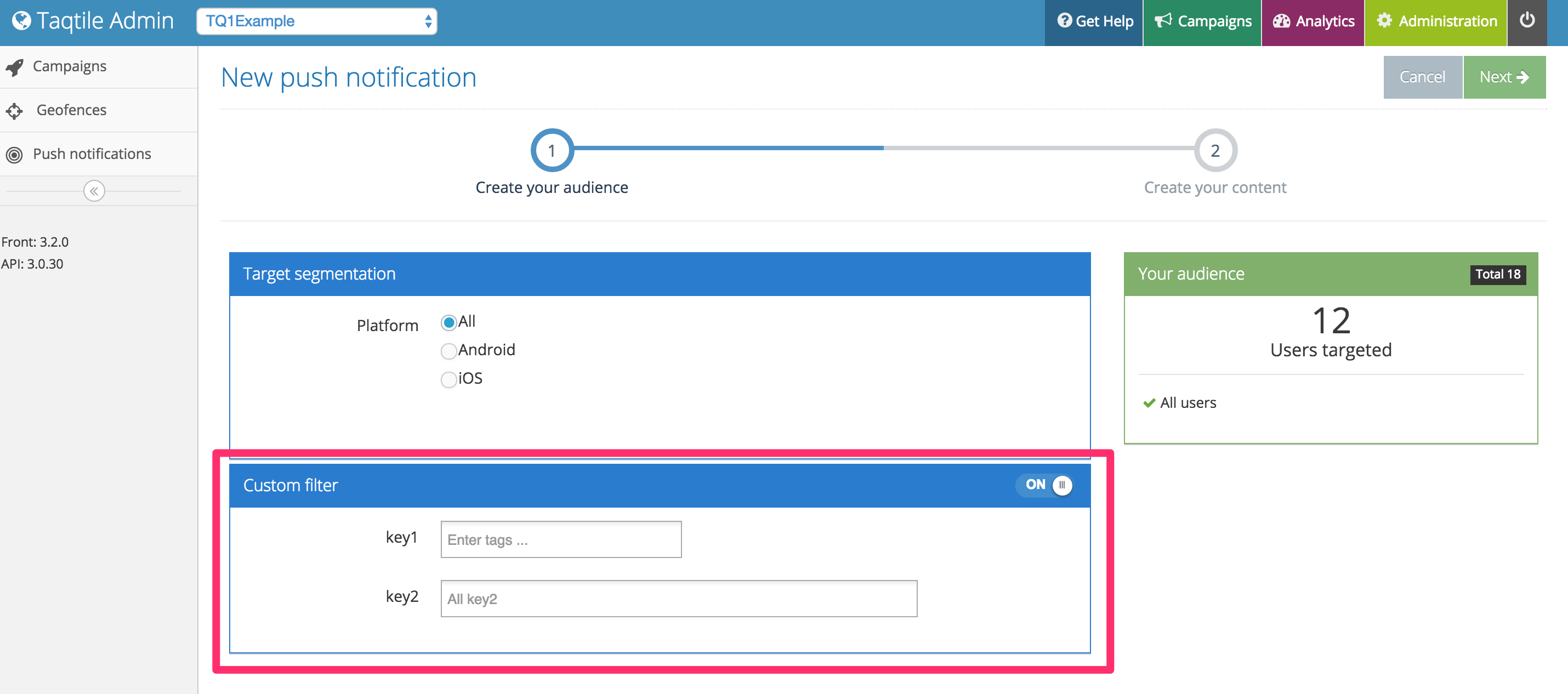
Once you send it you can check the push notification sending page, as they will appear under the Custom Filter section: