TQ1 Setup
Adding Podfile
In order to use TQ1 SDK, you must add the lib by editing your Podfile.
target :yourTarget do
  pod 'TQ1SDK', :git => 'https://github.com/tq1/taqtile-sdk-ios.git', :tag => '3.0.13-no-tracking'
end
After a pod install, the SDK will be ready to use.
Getting your app key
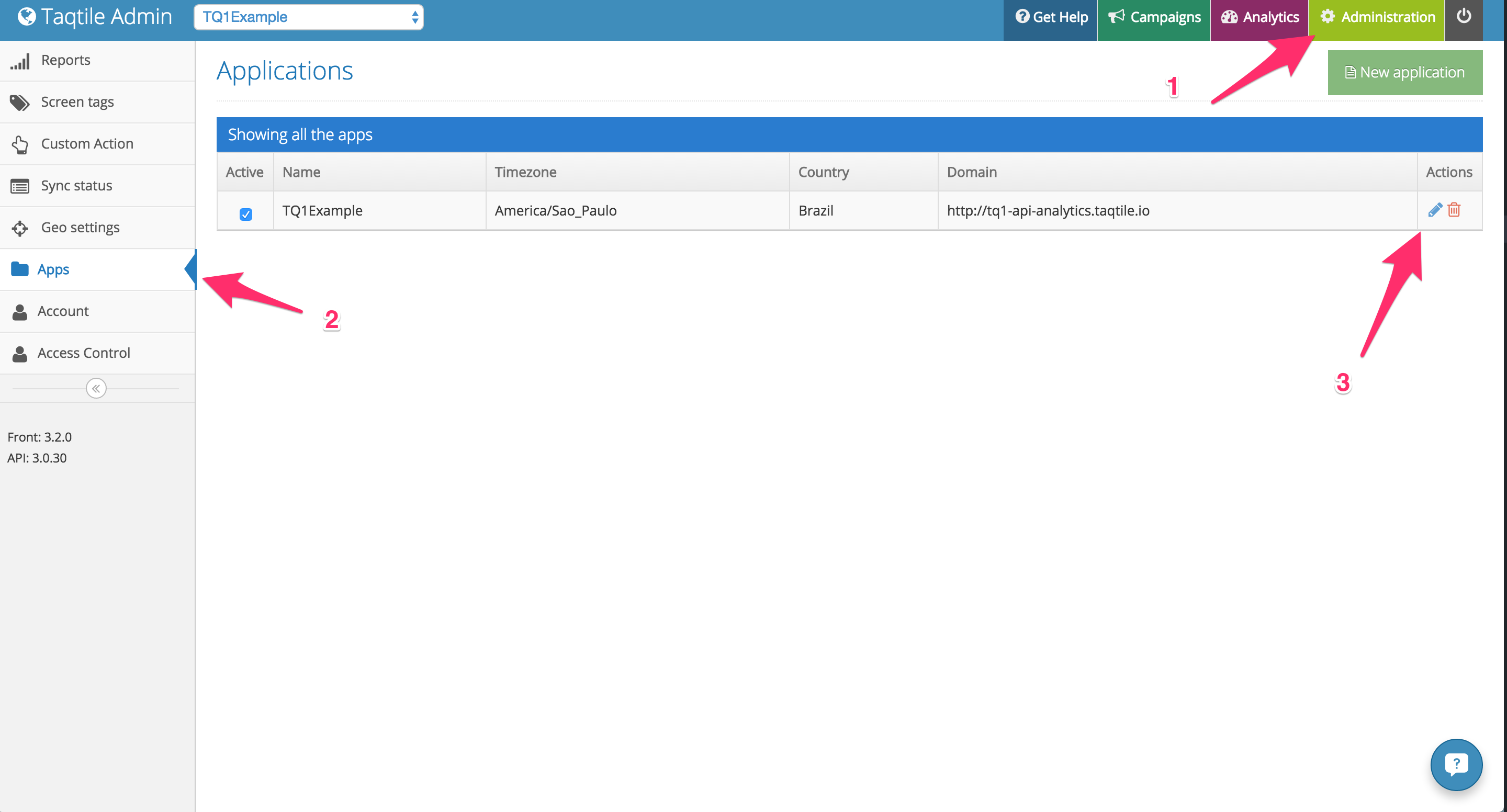
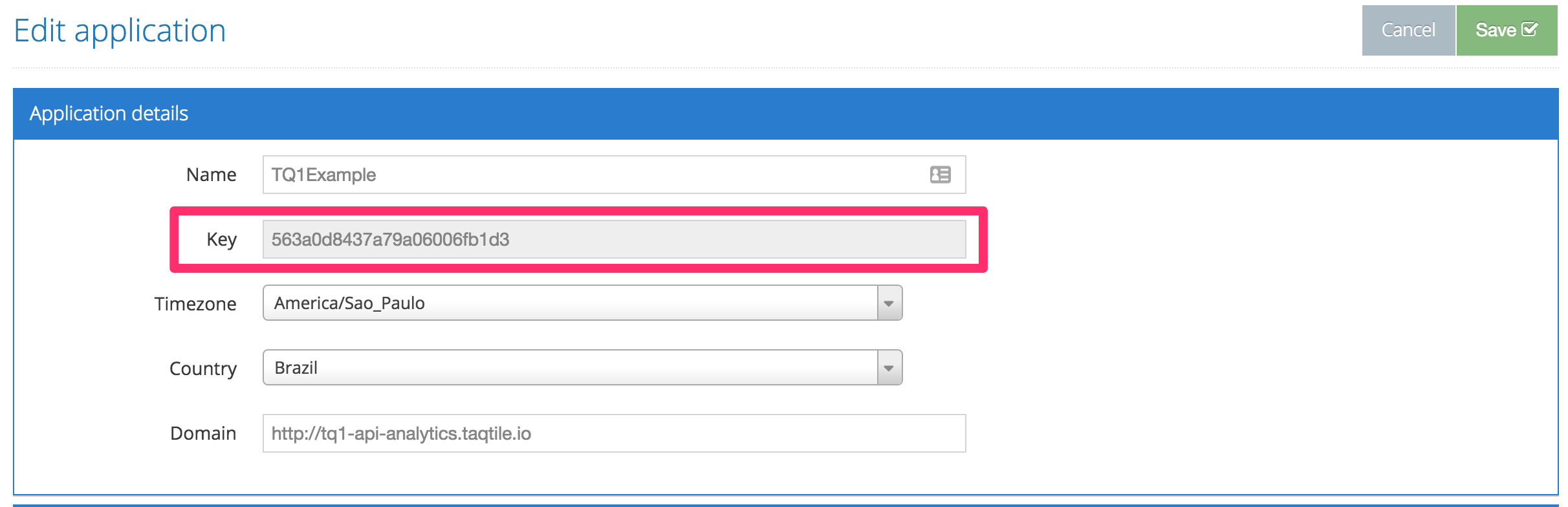
To use TQ1, you will need an app key, that will identify your application on our server. In order to get this app key, you can login to our admin and:
- Go to the
Administrationsection; - Go to the apps menu;
- Click on the edit button for the desired app;
- You will see the information on the
Keyfield.
Enabling remote notifications
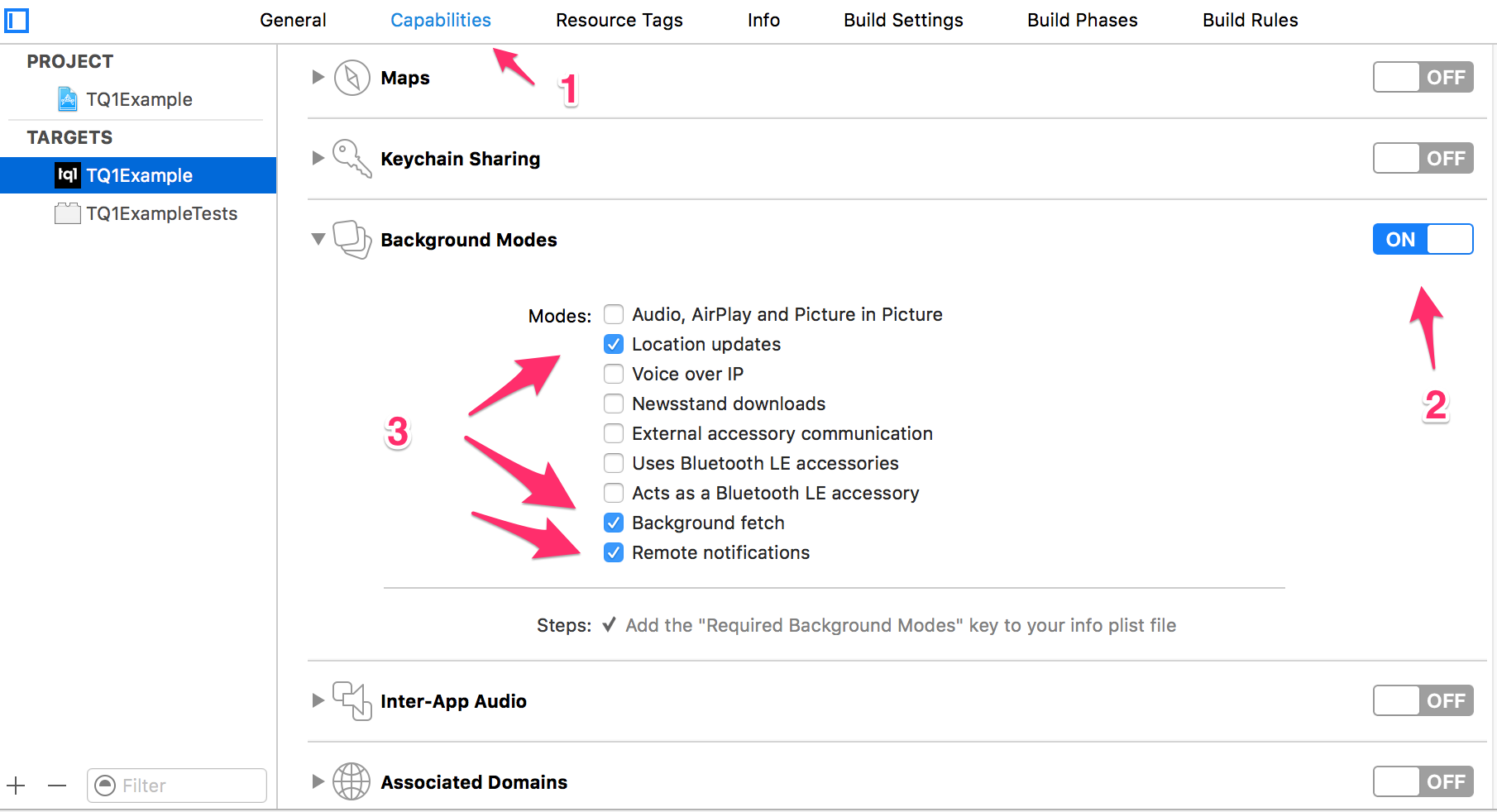
Before being able to register for remote notifications and for TQ1 to work correctly, you need to enable it on your app configurations:
- On the app configurations, go to capabilities
- Enable background modes
- Check
Location updates,Background fetchandRemote notifications
Bitcode
Since version 3.0.16, TQ1SDK comes with bitcode enabled. Therefore make sure your app target also has this build option enabled so that you don't have any issues while submitting it to Apple's App Store.